Multiplayer Coding Agents: How Teams Share Agent Work
What multiplayer means for coding agents in 2026: sharing context, a task board, and the running session itself. The three approaches teams use, and how to pick one.
A year ago, running coding agents was a solo activity. You started an agent, watched it, reviewed the diff, and opened a pull request. Your teammates saw the pull request and nothing else.
That is changing. Teams now run more agents than they can narrate to each other, and the handoff cost shows up as duplicated work, surprise merge conflicts, and the same question answered twice in two chats. "Multiplayer" is the shorthand for fixing it: giving the team, and the team's agents, something to share while the work is still in progress.
This page covers what is actually shared in each approach, which products ship which one, and how to choose.
What "multiplayer" actually means
Three different things can be shared, and products share different ones.
1. The context
The documents an agent reads before it starts: requirements, specs, diagrams, conventions, and the decisions made last week. When this is shared, two agents start from the same understanding without two people writing the same brief twice.
2. The task board
What everyone is working on, which agent has it, and what came out of it. When this is shared, the second person does not start the task the first person's agent already picked up.
3. The running session
The machine, the terminal, the agent's own chat. When this is shared, a teammate opens the work in flight, reads the scrollback, and prompts the same agent. Nothing has to be re-explained because nothing was handed off.
The first two make agents better teammates to each other. The third makes agents something a person can pick up where another person left it.
The three approaches in 2026
Share the output only
The default. Agents produce branches, pull requests, and issue comments, and the team coordinates in the places it already coordinates: GitHub, Linear, Slack.
This works, costs nothing to adopt, and keeps every existing review habit. The limit is timing. A pull request appears after the work is done, so two agents can spend an afternoon on overlapping changes before anybody notices.
Share the context and let agents talk
The newest approach, and the one Cursor shipped on November 10, 2026 when it rebuilt Projects for multiplayer.
In a Cursor Project, teammates join a shared Project and each member keeps their own coordinator agent and its workers, billed to that member. Two things are shared: a task board, and a context store that every member's agents read and write. A coordinator can message a teammate's coordinator directly, and the reply arrives in a side chat that answers but cannot be instructed, with the other agent's message treated as untrusted input. Cursor's docs put Projects on Cloud Agents, so they need a plan that includes Cloud Agents: Premium or above, Teams, Enterprise, or a legacy paid Cursor plan. Sharing a Project also needs a team account and Cursor 3.26.13 or later. Verified against cursor.com/docs/agent/projects on November 10, 2026.
The appeal is that coordination happens before the conflict, not in the merge. The constraint is that everyone has to be in the same product, on the same plan, with their own seat.
Share the machine the agent runs on
The approach Paradev takes with cloud workspaces. Each workspace is its own cloud machine. The agent keeps working when the laptop that started it is closed, and the workspace can be opened by a teammate, who gets the terminals, the agent's session, the diff, and the browser, not a summary of them.
The appeal is that the unit of sharing is the work itself, and the agent inside it can be any agent. The constraint is that it is sharing by invitation, not agents negotiating with each other on their own.
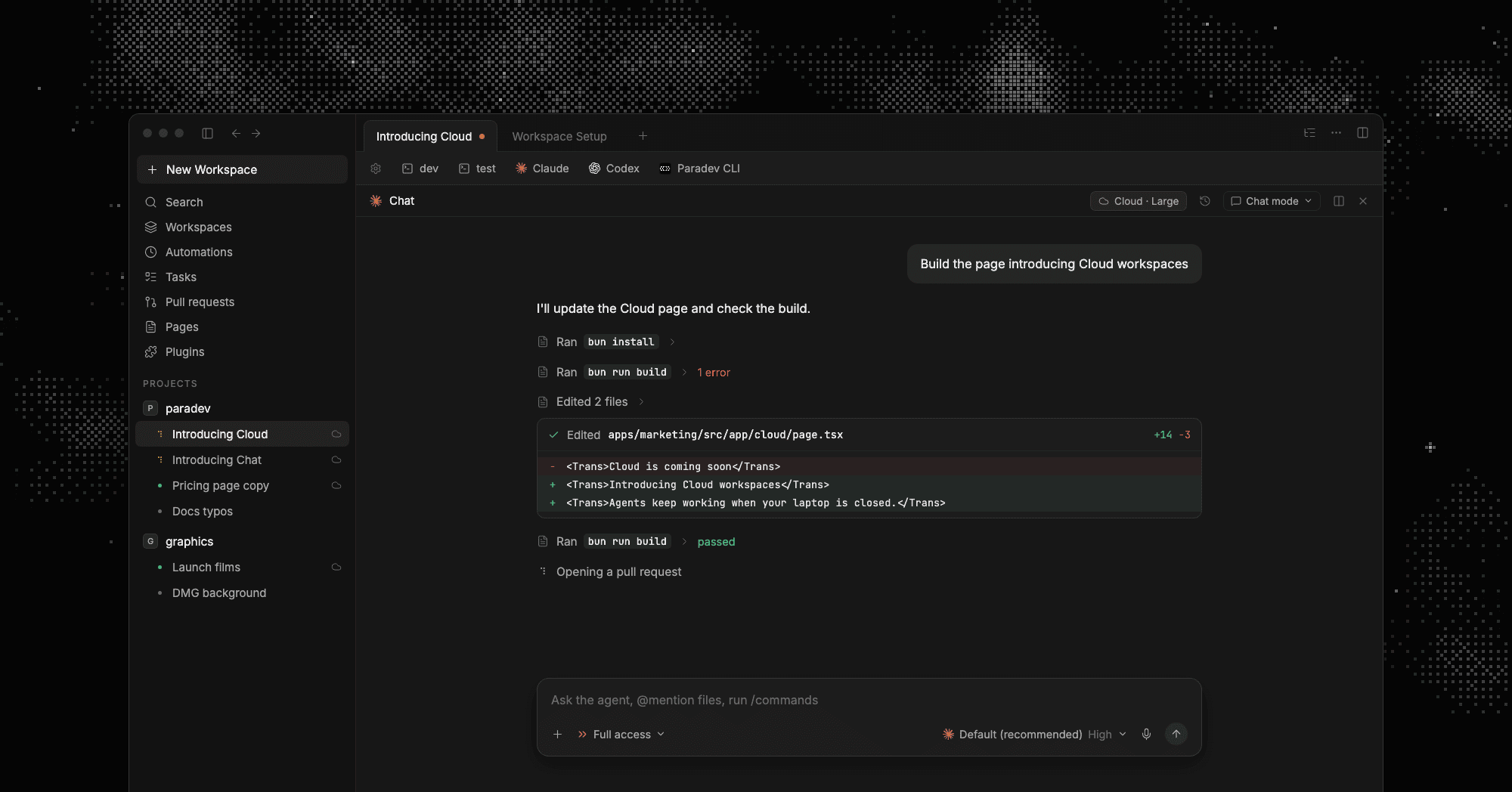 A cloud workspace running on its own machine: the Cloud, Large chip on the session, the agent editing files and running the build
What Paradev shares
Paradev runs the CLI agents you already pay for, so the team part is built around the workspace rather than around one vendor's agent.
A workspace a teammate can open and drive. Cloud workspaces come with the Team and Ultra plans. Each one runs on its own machine and keeps working with your laptop closed. Share sets who can reach it: anyone in your organization, or only the people you invite. Full access means a teammate can open the terminals and prompt the agents, not only read the result. From a shell, superset workspaces share add ws_a --user ann@example.com and --team do the same thing, and superset workspaces share list shows the owner, the visibility, and who it reached.
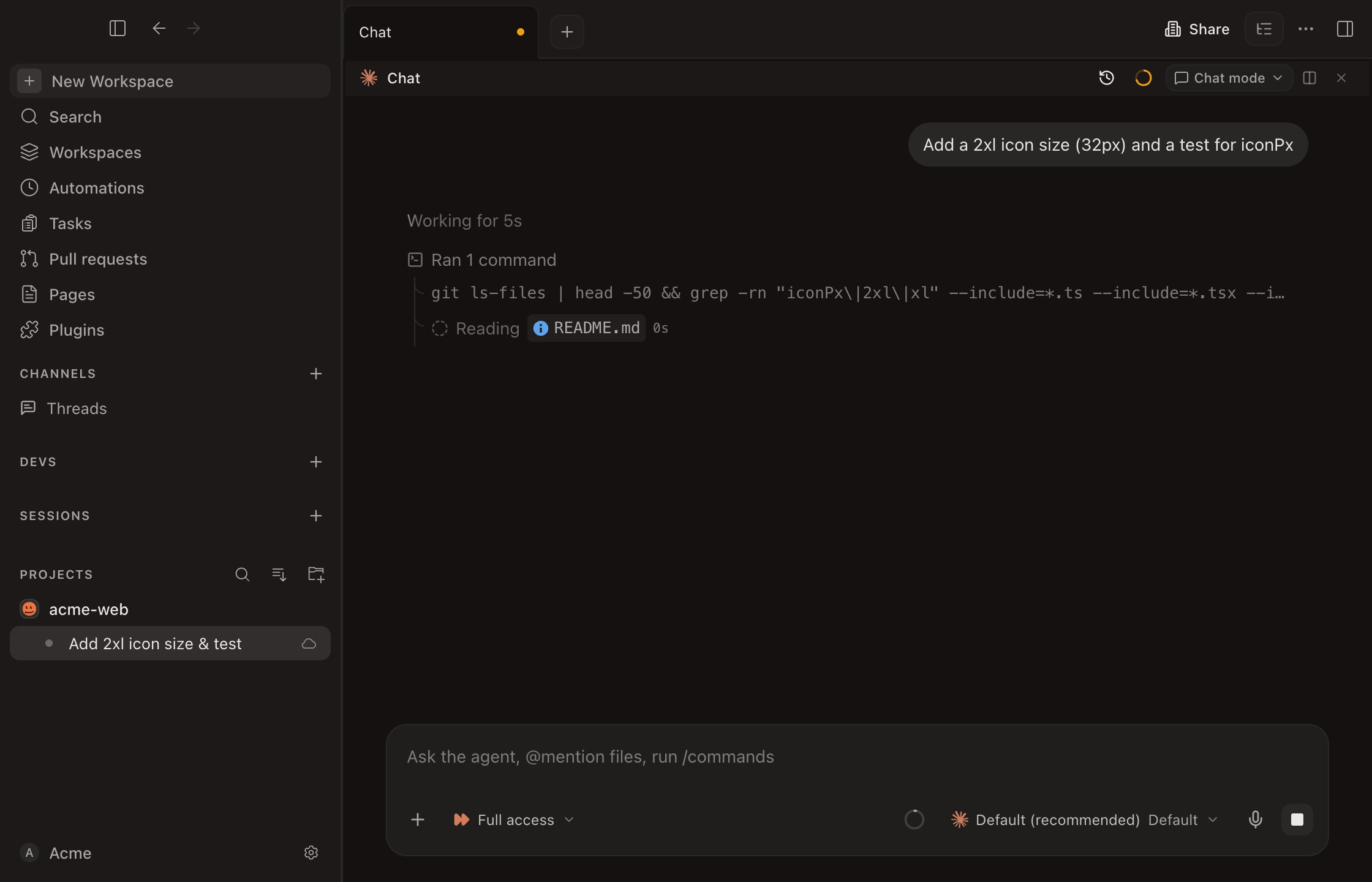 A cloud workspace mid-task: the agent is working in the chat pane, the workspace carries a cloud badge in the sidebar, and Share sits in the tab bar
An environment the team starts from. An environment holds the repositories, the variables, and the region. Set it up once, mark it visible to the organization, and every teammate starts workspaces from the same ground. Your agent sign-ins and GitHub access are not copied into the sandbox: the agent sees a placeholder, and Paradev adds your sign-in to outgoing requests. The variables and secrets you set on the environment are delivered to the sandbox as you configured them.
Work that starts without anybody at a keyboard. Automations run an agent on a schedule or on an event, such as a review request, a filed issue, or a message in a channel. A run that reaches a device becomes a live workspace you or a teammate can open, review, and continue. The agent does the first pass overnight; a person picks it up in the morning, in the session where it happened.
A place to discuss the result. With Pages, an agent publishes a report, a design, or an analysis. Teammates pin comments to the part they want to discuss, and a watching agent picks up the feedback and publishes a new version. That is the review conversation a pull request is bad at.
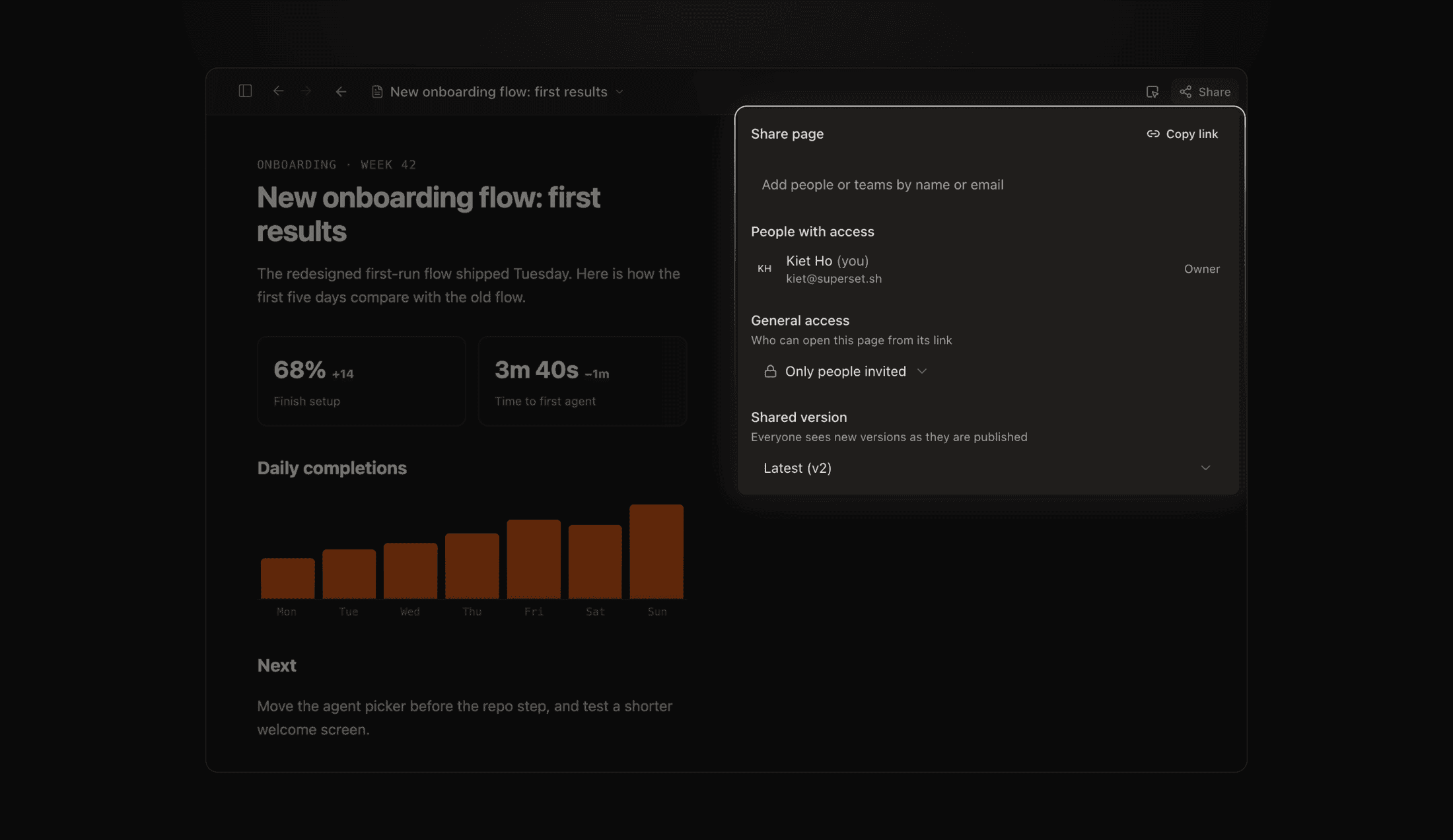 Sharing a Page an agent published: the Share page popover lists who has access, sets who can open it from its link, and pins everyone to the latest published version
One agent coordinating many. The orchestration skill turns the agent you are already talking to into a coordinator: it creates a workspace per slice of work, launches a worker in each, reads their terminals, and sends follow-ups. The coordinator can be Claude Code or Codex, and the workers can be any mix of agents Paradev runs. Each worker still lands on its own branch, so review does not change.
Machines the team shares. Remote Access adds a macOS or Linux machine as a host, and its owner can grant teammates access. Bring Your Own Cloud runs the host on a Linux server in your own cloud account, where repositories and agent sign-ins stay.
Controls for larger teams. SAML SSO, SCIM, and audit logs are on the enterprise tier, and Paradev is SOC 2 Type II. Paradev itself is open source under the MIT License.
Where the approaches really differ
| Question | Share the output | Share context, agents talk | Share the machine |
|---|---|---|---|
| When does coordination happen | After the work | Before and during the work | Whenever somebody opens the workspace |
| What a teammate sees | A diff or a comment | The task board and shared context | The live terminal, agent session, and diff |
| Which agents can take part | Any, nobody coordinates them | The product's own agents, one per member | Any CLI agent, in the shared workspace |
| What everyone has to buy | Nothing new | A seat each on the same product and plan | A plan that includes the shared machine |
| What it is bad at | Catching overlap early | Mixing vendors | Agents negotiating without a person |
None of these is strictly better. A team that merges fifty agent pull requests a week and never collides is fine on the first row. A team that keeps rediscovering the same spec is served by the second. A team whose problem is "I cannot pick up what your agent was doing" is served by the third.
How to choose
- Count your collisions. If two agents rarely touch the same files, shared context solves a problem you do not have.
- Check who must be in the room. If your team runs Claude Code, Codex, and something else by preference, an approach that needs one vendor's agent per person is a migration, not a feature.
- Decide whether a teammate needs to take over, or only to know. Knowing is a task board. Taking over is a shared machine.
- Price it per person, not per team. Multiplayer usually means a seat each on a paid plan, and the second seat is where the cost shows.
- Keep review where it already works. Whatever is shared mid-flight, the merge should still arrive as a branch and a pull request a human reads.
Try it with one task
- Download Paradev, sign in, and open a repository you work in.
- On Team or Ultra, create an environment with that repository and set Visible to: Organization.
- Start a cloud workspace from it and give an agent a task that takes a while.
- Close your laptop. The workspace keeps running.
- Share it with a teammate with full access, and have them open the terminals and prompt the same agent.
- Review the diff in the workspace, then open the pull request as usual.
Frequently Asked Questions
What are multiplayer coding agents?
Agents that several people share while the work is in progress, instead of each person running agents alone and meeting at the pull request. In practice, teams share one of three things: the context an agent reads, the task board it works from, or the running session itself.
Can two people use the same coding agent session?
In Paradev, yes, in a cloud workspace. Share the workspace with full access and a teammate can open its terminals and prompt the agents that are running there. Local workspaces on your own machine are not shared this way; a shared machine is what makes it possible.
Is Cursor Projects multiplayer the same thing?
It shares different things. Cursor shares a task board and a context store between members of a Project, and lets each member's coordinator agent message a teammate's coordinator. Every member brings their own Cursor coordinator and workers on their own seat. Paradev shares the workspace, including the terminal and the agent session, and runs whichever CLI agents your team already uses.
Do my teammates need the same agent subscription as me?
For a shared Paradev cloud workspace, no. The workspace runs its agents with the sign-in of the account that set it up, and a teammate who opens it works in that session. Teammates who start their own workspaces use their own agent sign-ins.
Can agents start the work when nobody is online?
Yes. Automations run an agent on a schedule or on an event, and the run becomes a workspace a person opens afterwards. Pair that with sharing and the morning review can be done by whoever is awake.
Does any of this change how code gets merged?
No. Every workspace still produces a branch and a pull request, and the review and CI steps your team already uses stay in place.