How to Run Multiple Claude Code Agents in Parallel
Learn the safest way to run multiple Claude Code sessions at once. Compare terminal tabs, tmux, manual Git worktrees, and Paradev's orchestration workflow.
Run multiple Claude Code sessions by assigning each task its own Git worktree and branch. Install the project dependencies in each worktree, launch a session there, and review each diff before merging. Separate working directories prevent shared-checkout edits; they do not prevent merge conflicts or isolate shared services.
For the same workflow with any coding agent, see How to Run and Manage Multiple AI Coding Agents in Parallel.
The Real Problem
Running multiple Claude Code sessions is easy. Running them without stepping on each other is the hard part.
If two sessions share one working directory, they can both edit the same files, overwrite each other's changes, and leave you with a review mess. Even when they touch different files, you still have to remember which branch belongs to which task, which terminal owns which session, and what changed where.
That is why "multiple agents" is really an isolation problem first and an interface problem second.
For a complete exercise with three scoped prompts, a deliberate approval pause, separate previews, and an integration check, follow the three-task walkthrough.
The Three Common Approaches
1. Multiple Terminal Tabs or tmux Panes
This is where most people start. Open a few tabs, run claude in each, and keep a mental map of which session owns which task.
It works for quick experiments, but it has two problems:
- no automatic Git isolation
- no single place to review diffs across sessions
If every tab points at the same checkout, parallelism becomes unsafe immediately.
2. Manual Git Worktrees
This is the Git-native way to do it. You create a separate worktree and branch for each Claude Code session:
Then you cd into each directory and launch Claude Code there. Claude Code can also do this step itself: claude --worktree <name> (or -w) creates a worktree under .claude/worktrees/ on a new branch and starts the session in it. See the Claude Code worktree docs.
This separates working files, but does not sandbox the agent or prevent merge conflicts. It is also repetitive. You still have to create branches, name directories, track which session maps to which task, and review each diff manually in your editor or Git UI.
3. Paradev + Claude Code
This is the same worktree-based approach, but automated.
Paradev creates an isolated worktree per task, launches Claude Code inside it, keeps the sessions organized, and gives you one place to review the resulting diffs. Claude Code still does the coding. Paradev handles the orchestration.
That is the key distinction: Claude Code is the agent; Paradev is the workflow layer that lets you run many Claude Code sessions safely.
Claude Code's own features keep working inside it. Paradev launches the real claude CLI in a real terminal with your own login, so /remote-control, /schedule, /loop, subagents, and --resume behave as they do in any terminal.
Quick Comparison
| Approach | Parallel? | Isolated by default? | Review workflow | Ongoing overhead |
|---|---|---|---|---|
| Terminal tabs | Yes | No | Manual | Low setup, high risk |
| tmux | Yes | No | Manual | Good for power users, still no isolation |
| Manual Git worktrees + Claude Code | Yes | Yes | Git-native, but manual | Safe, but repetitive |
claude --worktree | Yes | Yes | Git-native, but manual | Low for Claude Code alone |
| Paradev + Claude Code | Yes | Yes | Built-in diff review per task | Lowest overhead once installed |
Recommended Workflow
1. Break work into independent tasks
Good parallel tasks:
- write tests for module A
- refactor service B
- update docs for feature C
- fix lint or type errors in package D
Bad parallel tasks:
- three agents touching the same core file
- tasks that depend on one unfinished refactor
- anything where you do not yet know the right architecture
Parallelism works best when each agent can finish a reviewable unit of work on its own branch.
2. Give every session its own worktree
This is the non-negotiable part.
If you are doing it manually, use git worktree add for every task before launching Claude Code. If you are using Paradev, create one task per job and let Paradev provision the worktree and branch automatically.
3. Keep prompts narrow
Claude Code performs better in parallel when each session has a tight, outcome-based prompt:
- "Add table-driven tests for
normalizeUserInputand stop when they pass." - "Refactor the billing service to remove duplicate retry logic without changing external behavior."
- "Document how background jobs are retried in the API README."
Avoid mega-prompts that ask one session to do design, implementation, and cleanup across the entire repo. Those are better done sequentially.
4. Review each diff before merging
Parallel agents increase output, not certainty.
The right loop is:
- dispatch several narrow tasks
- review the finished diffs one by one
- merge the good ones
- spawn follow-up tasks from the remaining gaps
This is why worktrees matter so much: every agent output stays isolated until you decide what lands.
Verify the setup before adding more agents
In each session, run these commands and compare the output:
Each independent task should show a different worktree path and branch. If both sessions show the same path, they are editing the same checkout. Assign separate preview ports, and check whether both tasks use the same database or credentials.
Record the starting commit, agent version, model, prompt, test command, and result for each task. After reviewing and integrating the changes, run the relevant checks on the combined branch. A passing test in one worktree does not prove two changes work together.
Our reproducible worktree check demonstrates both independent edits and a deliberate merge conflict. Use the three-task walkthrough to apply that review process to a real project.
Why Paradev Fits This Workflow
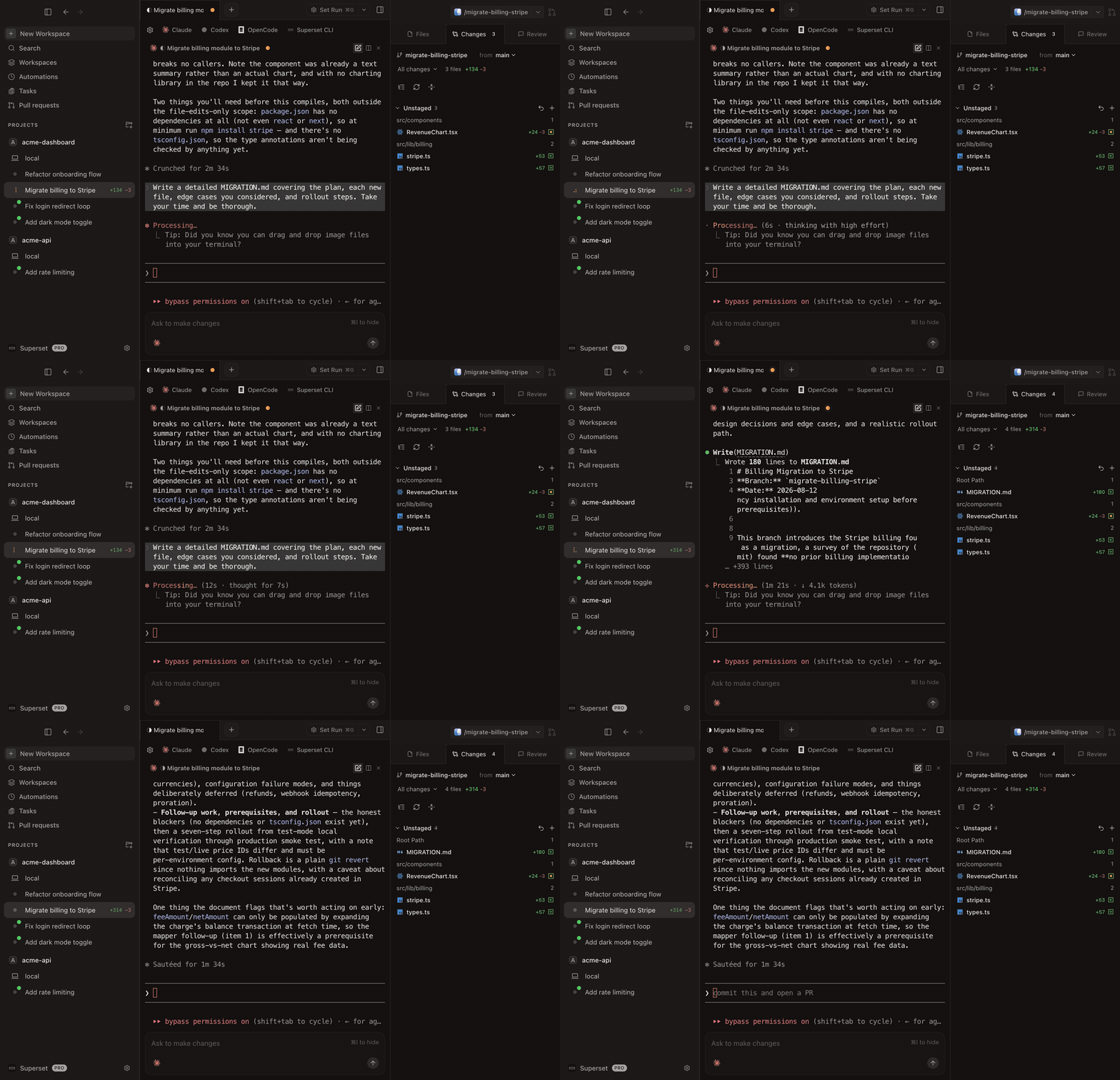 Claude streaming a billing migration in one Paradev workspace while other Claude Code agents run in parallel workspaces
Paradev is useful here because it removes the boring parts of manual parallelism:
- separate worktree per task
- separate branch per task
- persistent terminal sessions that resume with
claude --resumeafter a crash or reboot - a Workspaces page that groups sessions into Needs attention, Working, Needs review, Idle, and Merged
- Claude Code subagents listed under their parent session
- one interface for reviewing outputs, committing, pushing, and opening pull requests
- an iPhone and iPad app for checking on sessions and reviewing diffs away from your desk
- cleanup that previews dirty or unpushed work before a bulk delete
If you already like Claude Code, Paradev is not a replacement. It is the layer that makes multiple Claude Code sessions manageable.
For a product comparison, see Paradev vs Claude Code.
When Manual Worktrees Are Enough
You do not need another tool if:
- you only run one or two Claude Code sessions occasionally
- you are comfortable living in Git and tmux all day
- you prefer assembling your own workflow from terminal tools
Manual worktrees are still the correct primitive. Paradev just packages that primitive into a faster operating model.
Verdict
If you want to run multiple Claude Code agents in parallel, the decision is not really "Claude Code or Paradev."
The real choice is:
- Claude Code alone, with
claude --worktreeper session and your own way of tracking them - Claude Code plus manual worktrees, with more setup overhead
- Claude Code plus Paradev, with the same isolation model, all of Claude Code's own commands, and one place to track and review every session
For most teams and solo developers, worktree-based orchestration is the difference between "parallel in theory" and "parallel every day."
Frequently Asked Questions
Can Claude Code itself run multiple agents?
Yes. claude --worktree starts each session in its own worktree, and subagents can run in parallel inside one session. What Claude Code does not give you is one view across many sessions, other agents, and other machines, with each session's diff and PR in one place. Paradev adds that, and Claude Code's own features still work in each Paradev session.
Do I need Git worktrees to parallelize Claude Code?
If you care about safety, yes. Separate worktrees keep each session on its own branch and working directory, which prevents overlapping changes from colliding in one checkout.
Is tmux enough?
tmux is enough to manage panes and sessions. It is not enough to isolate file changes by itself. You still need a Git workflow, usually worktrees, underneath it.
Is Paradev only for Claude Code?
No. Paradev can orchestrate Claude Code, Codex, OpenCode, Gemini CLI, Cursor Agent, and other CLI agents, including custom ones you add. Claude Code is just one of the strongest fits for the workflow.