Stacked Pull Requests, Merge Queues and Tabs That Drag Anywhere
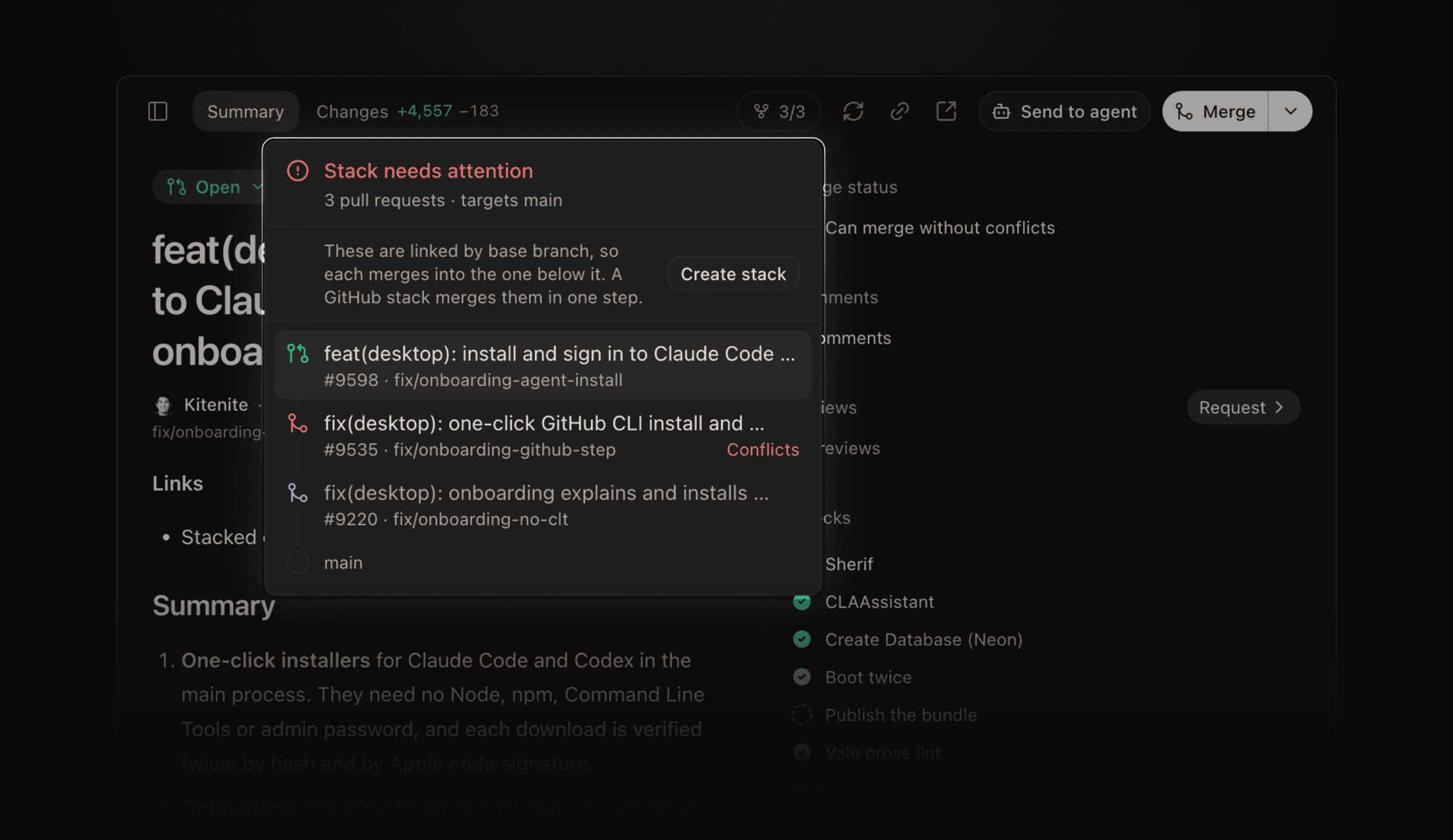
Stacked Pull Requests and Merge Queues #9554
A pull request in a stack now merges with the layers below it. The merge button reads Merge stack, names how many pull requests it lands, and lists each one before you confirm.
- Merge queue - add a pull request or a whole stack to the base branch's merge queue, see its position, and remove it again
- Stack chip - click the chip (for example 2/4) for one verdict, the reason a merge is blocked, and a status for each layer
- Restack - shown when your branch still carries a layer that already merged below it
- Merge buttons offer only the methods your repository allows, with its default first #9527
Open a stacked pull request from Pull requests in the sidebar. Docs: Pull Requests.
Any Agent Session in Chat or Terminal #9529
Every agent pane can now open its session in the other view. Click the pane title and pick Fork into Chat on a terminal, or Fork into CLI on a chat. The copy opens in a new tab #9581.
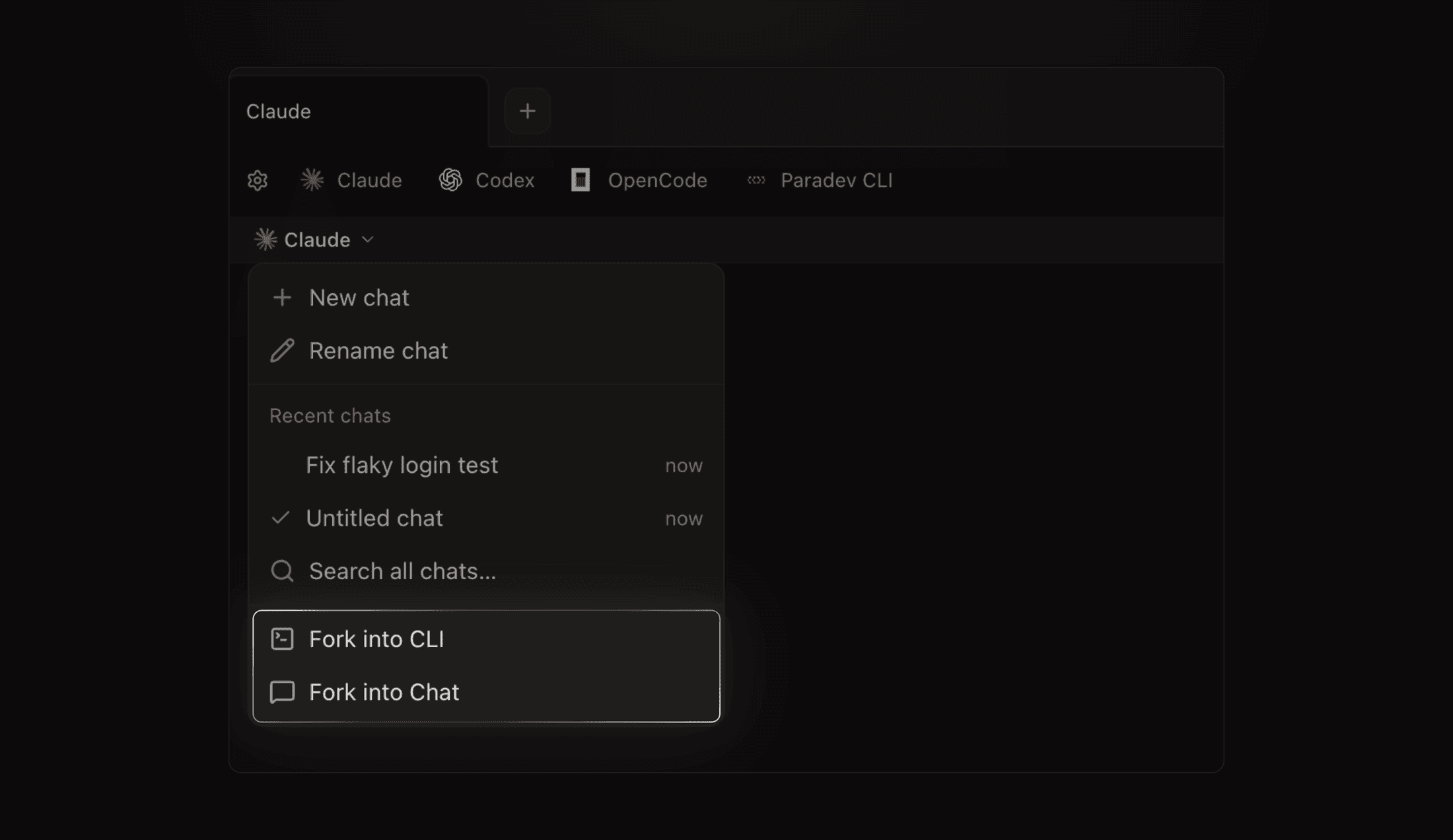 The chat pane title menu, with Fork into CLI and Fork into Chat at the bottom
- The pane title menu also holds new, rename, sessions and account usage
- The approval card shows why Claude Code asks, even in Full access #9574
- New chats remember fast mode for each agent #9531
Settings → General → Open agents in chat now only picks what new sessions start as.
Drag Tabs and Panes Between the Main Area and the Sidebar #9530
Any tab or pane moves between the main area and the right sidebar, in both directions. Drop it on a tab bar, on a pane to split it, or on an empty area.
The right sidebar has keys too #9540:
- ⌘⌃← and ⌘⌃→ switch the sidebar tab without moving focus
- ⌘⌥L moves focus between the main tabs and the sidebar
Cloud Workspaces Show Their Load
A cloud workspace that runs out of CPU or memory now shows a dot in the sidebar. Hover it to see the usage and the process that was stopped #9709.
- Change machine size - right-click a cloud workspace and pick Machine size
- Set up an environment from chat - a project with no cloud environment gets a Set up Environment chip on the new-workspace screen, and an agent builds it for you #9707
- Ports button - forwarded ports get their own button beside Share #9642
- A sleeping cloud workspace opens on its chats while the machine wakes #9565
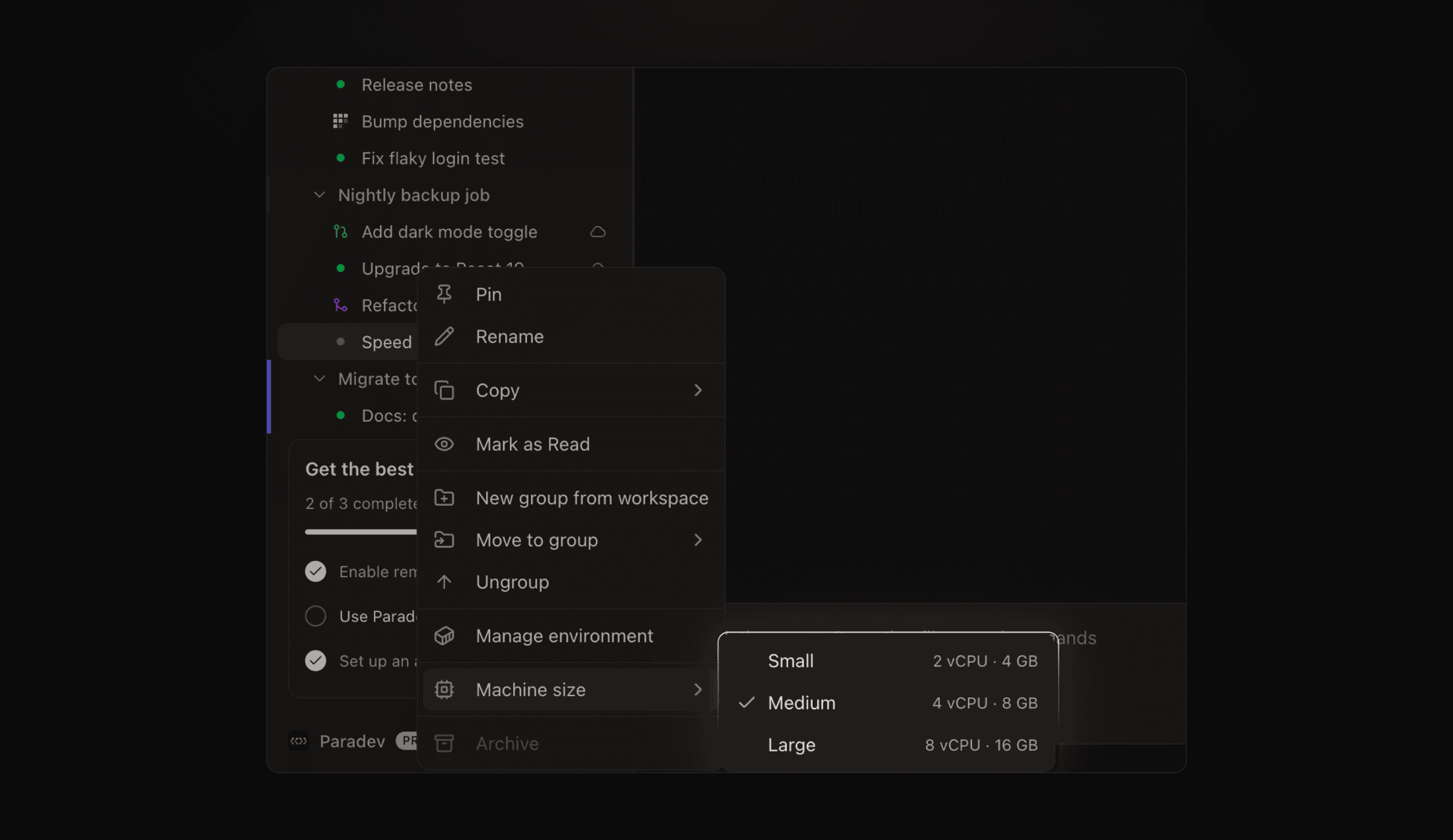 The right-click menu on a cloud workspace, with the Machine size submenu showing Small, Medium and Large
Docs: Cloud Workspaces.
Improvements
- Claude Fable 5.2 - pick it in the Claude model picker and in chat #9568
- Extensions in every browser pane - panes your agents open use your extensions and logins #9523
- Filter pull requests by reviewer - pick a requested reviewer in the filter menu #9678
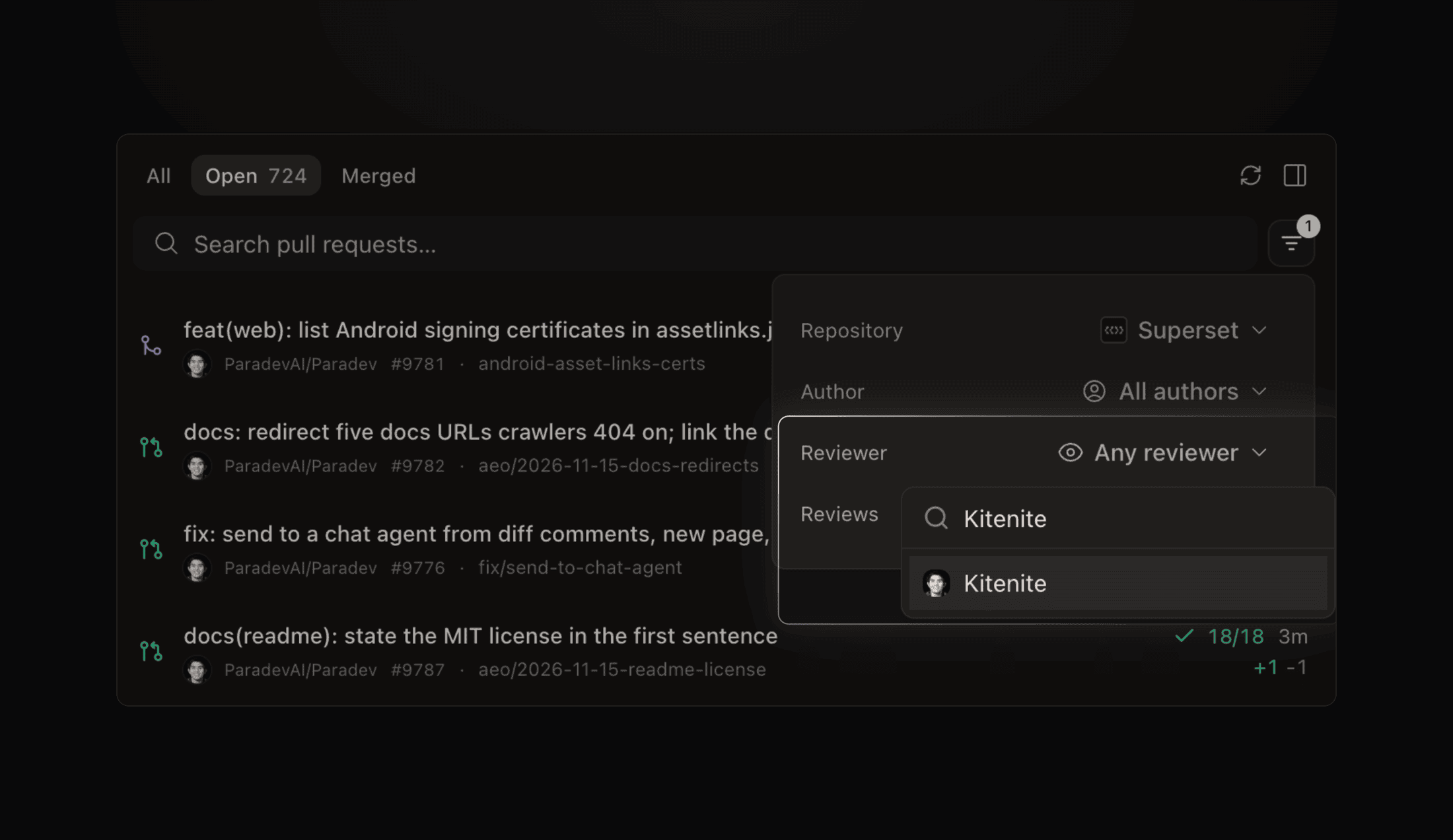 The pull request filter menu with the reviewer picker open
- Pull request Code tab - the file list matches the Changes pane, with search and a tree view #9550
- Keep talking to Claude - a chat stays open for your next message while background subagents run #9733
- Sign in from chat - a signed-out agent shows a Sign in button on the failed turn #9708
- Search cloud chats - find them with ⌘⇧K or
superset sessions search <query>#9339 - Pages - an open page offers the new version when one is published, ⌘F finds text in a page, and Duplicate copies one #9536 #9545 #9722
- Adopt worktrees from the CLI -
superset worktrees listandsuperset worktrees open --allturn worktrees on disk into workspaces #9539 - Use Paradev anywhere - a sidebar button links to mobile, cloud, CLI and self-hosted setup #9587
- Ahrefs plugin - install it from Plugins #9674
- Dismiss sidebar cards - every card in the sidebar has a close button #9573
Bug fixes
- A spend or usage limit in chat shows as a notice, not a red failure, on desktop and mobile #9655 #9680
- A sent chat message no longer disappears, and a prompt sent mid-turn shows in the queue at once #9768 #9769
- A stopped cloud workspace wakes when you open it #9728
- Codex stays signed in with ChatGPT in cloud workspaces #9290
- Images from private repositories load in the pull request pane #9579
- A deleted project no longer blocks setting up the same repository again #9541
- Onboarding explains and installs missing Command Line Tools #9220
- Agent environment variables apply in chat sessions, contributed by @resteqs #9506
- A pinned model version such as 5.2 is matched exactly, contributed by @Bruno-rose #9445
- Chat works in the standalone CLI install, contributed by @eaknathmanoj #9577
- Mobile: attachments no longer freeze the composer, and a chat opens at its newest message #9675 #9738