Cloud Workspaces Out of Beta and Chrome Extensions in the Browser
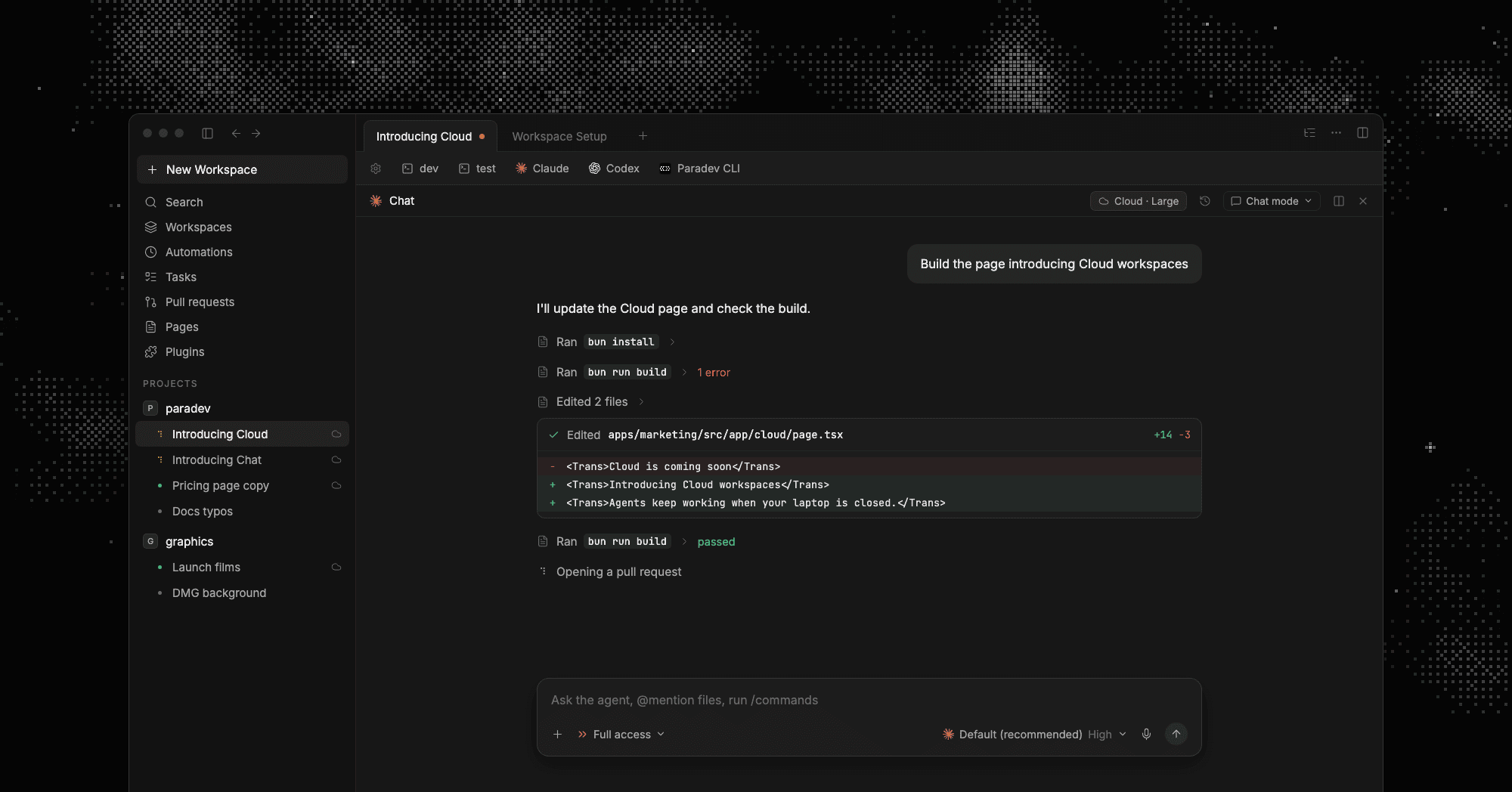
Cloud Workspaces Are Out of Beta #9427
Cloud workspaces run your agents on a cloud machine, so they keep working when your laptop sleeps. They are now part of the Team and Ultra plans #9363.
Starting a Large cloud workspace from the new-workspace dialog, then the agent editing and building- Forward ports to your computer - click Forward in the Share popover to open a cloud dev server on localhost #9493
- Manual sign-in - keep Claude Code or Codex signed in with your own script, in Settings → Agents #9372
- Reach your own machines - turn on Settings → Hosts → Cloud workspaces to let cloud agents use a host you own #9409
Resize a workspace or list its forwards from the CLI #9371:
Pick Cloud as the host when you create a workspace. Docs: Cloud Workspaces.
Chrome Extensions in the Browser #9221
The browser pane now runs Chrome extensions. Install them from the Chrome Web Store, pin them to the toolbar, and sign in with 1Password or LastPass, passkeys included. Contributed by @serhii-kucherenko.
Installing Dark Reader from the Chrome Web Store, using extension popups and right-click items, then managing extensions from the CLI- 1Password talks to its desktop app, ad blockers like uBlock Origin Lite block ads, and Vimium and Google Translate work #9327 #9328 #9330
- Agents get their own browser without your extensions, and every install asks you first
- Machines with more memory keep more pages open in the background, and a page that plays audio or holds a half-filled form is never closed #9498
Open a browser pane with ⌘⇧B and click the puzzle icon. From the CLI: superset browser extensions list #9306.
The Chat Interface Is Out of Experimental #9403
Chat runs your agent as a conversation instead of a terminal. New users pick Terminal or Chat during onboarding #9367.
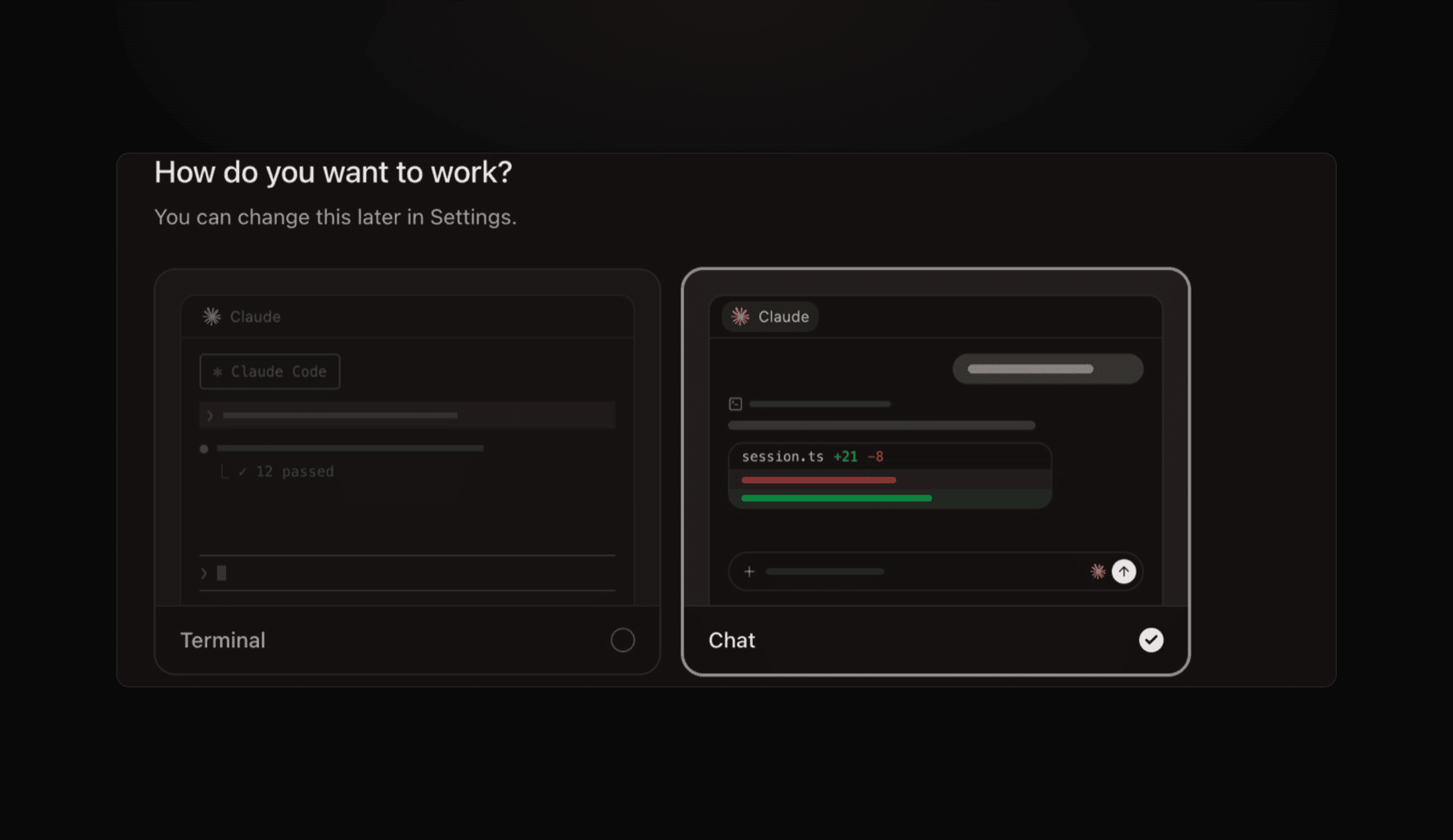 The onboarding step that asks whether to work in a terminal or a chat
- Chips above the composer show running subagents and background tasks #9289
- A chat cut off by a quit or crash asks to resume on the next launch #9432
- New chats keep each agent's last model, effort and mode #9410
Turn it on in Settings → General → Chat interface. Docs: Chat interface.
Paradev Is MIT Licensed #9356
Paradev moved from the Elastic License to MIT, so you can use and change the code however you want.
Improvements
- Import from other tools - onboarding finds worktrees left by Conductor, T3 Code, Orca and others and imports them #9362
- Archive automations - archiving replaces delete and has Undo. Restore or delete permanently from the Archived tab #9338
- Same workspace for automations - every run can reuse one workspace, and Continue picks up the last conversation #9378
- Set up a workspace from the keyboard - type
#in the new-workspace composer to pick project, host, environment and size #9291 - Several GitHub organizations - connect more than one GitHub organization to one Paradev organization #9396
- Pages - share a page with Can edit, and pinned pages show in the sidebar #9302 #9295
- New plugins - Inngest, Supabase, Firecrawl and Wispr Flow #9273
- Tribute ringtone - the train whistle Conductor played when a workspace finished, in Settings → Ringtones #9415
.paradevfolders - app data moves to~/.paradevby itself, and repos keep working from.superset/#9158 #9248
Bug fixes
- Copy in cloud workspace terminals reaches your clipboard #9364
- Narrow panes and small windows no longer paint text over text #9226
- Pull request lists show rows before their checks load #9384
- Schedules whose hours wrap past midnight fire every slot #9274 #9278
- Chats keep their permission mode across resume and fork, and prompts queue while a turn waits #9354 #9361
- Chats started from the CLI or mobile open as tabs #9399
- A failed plugin connect says why, and plugin accounts connect in more than one organization #9418 #9433
- Only organization admins can connect a GitHub account #9499